
The Outbound Payment Configuration enhancement, which allows merchants the ability to:
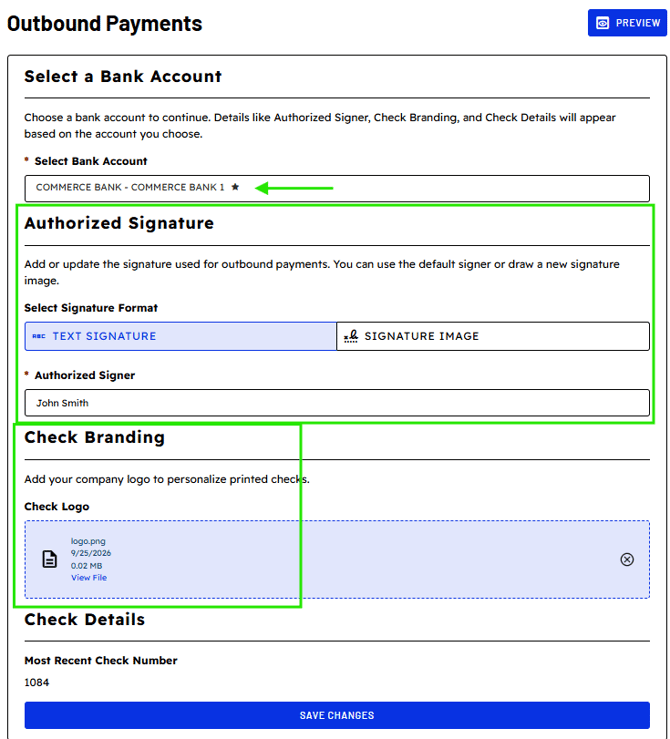
- Upload a logo to appear on printed checks
- Select an authorized signature for check issuance
- Preview physical check before saving and applying changes
Accessing Outbound Payments Configuration
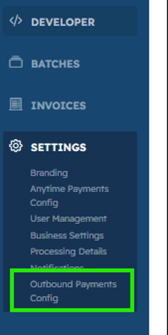
To configure your check settings, navigate to:
Payments Portal → Settings → Outbound Payments Config
Outbound Payment Bank Account-Specific Settings
Configuration settings are managed at the bank account level, allowing each account to have its own:
- Company logo
- Authorized signature preference
The default check-enabled bank account is identified by a star icon.
Related Articles:
If you need assistance or have any further questions, please click here to contact our support team.