
If you would like to request that a carrier be added to your preferred list, please email the carrier’s name and physical address to Onboarding@anddone.com.
Please allow additional time for AndDone to review your request and map the carrier to your AndDone Portal.
If a GA is not available in your preferred list, you can create a new GA while building a quote in the portal.
Please allow additional time for IPFS Acceptance team to review the new GA submission.
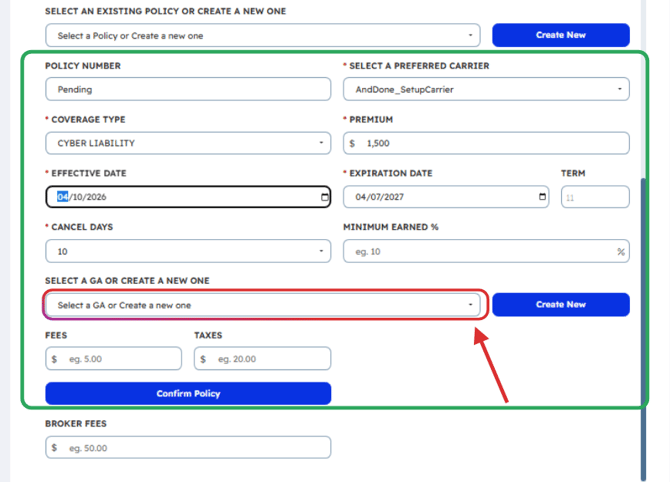
You may also email the (GA) General Agent’s name and physical address to Onboarding@anddone.com. Please allow extra time for review and portal mapping.
You may include multiple carrier and GA requests in one email Onboarding@anddone.com. Please allow additional time for our team to complete your request.
Related Articles:
- How to generate a finance quote in the AndDone Payments Portal
- How do I view Financing Loan Account Details, Quotes, and Draft Quotes?
- Autopay explained
- Paying via Payment Link - Premium Finance
- Saving and Resuming a Draft Quote - Premium Financing
- Payment Links for Premium Financing in the Merchant Portal